Baseband Localization on the CHIME/FRB outrigger-buffer
Node outrigger-buffer
We have a dedicated node where we receive and convert baseband data to hdf5 format. This job would normally send work to another job which moved the converted data to frb-baseband. Instead, we now added a new intermediate step in between. As soon as the conversion job finishes converting the data, it adds work into the bucket for the on-site baseband localizer. The baseband localizer is what then adds work to the data mover's bucket.
This node has 32 vCPUs, 128 GB of RAM and a 12 TB SSD. This makes the I/O significanty faster when compared to reading events from the archiver (i.e.frb-baseband).
Baseband Localizer
Note that this pipeline is only supported on image with version on and after chimefrb/baseband_analysis:v1.10.11.
The Baseband Localizer is part of the same cluster_cli.py with a function complete_localization_outrigger_buffer. This function performs the complete baseband localization in a very simple sequential order on a single container. There is no fancy fan-out etc. like for the Workflow pipeline.
To make it persistent, we have a very simple wrapper code which does the folloing:
- Periodically poll
workflow bucketsfor new work in the pipelinebaseband-localizer-outrigger-buffer. The expected work parameters are{event_number: ..., path: path/to/raw/data}. - If work is found, it queries FRBMaster's
master.events.get_event(full_header=True)to identify if the event is from a known pulsar (i.e. starts withJ/B) or if itsSNR < 12(to reduce processing false positives). If this is the case, it skips these events and forwards them to the next stage which moves the data tofrb-baseband. - If it meets the criteria for processing, it calls the above
cluster_clicommand in a subprocess. - The entire pipeline runs only once. If it fails, it is not retried with the expectation that we would do the debugging at CANFAR as the data is eventually moved by datatrail.
- Once the localization finishes, it also moves the processed data to
/arc/projects/chime_frbso that the single beam files are available for follow-up analysis at CANFAR.
How do you start the baseband localizer on outrigger-buffer?
Follow the instructions on the operations manual.
Logs
While it is running, you can monitor it's logs on Loki.
Alternatively, you can also follow them on the outrigger-buffer node but you might need admin privileges. There you can run:
ssh frbadmin@outrigger-buffer
docker container ls # Look for something like outrigger-buffer-localizer-1 or outrigger-buffer-localizer-2
docker container logs -n 100 -f outrigger-buffer-localizer-1
Logs for specific event
For a specific event number, you can see the logs on https://grafana.chimefrb.xyz/d/helix-entity-inspector/entity-inspector?var-entity_id=1172292935 (replace with the actual event number).
You should see something like:
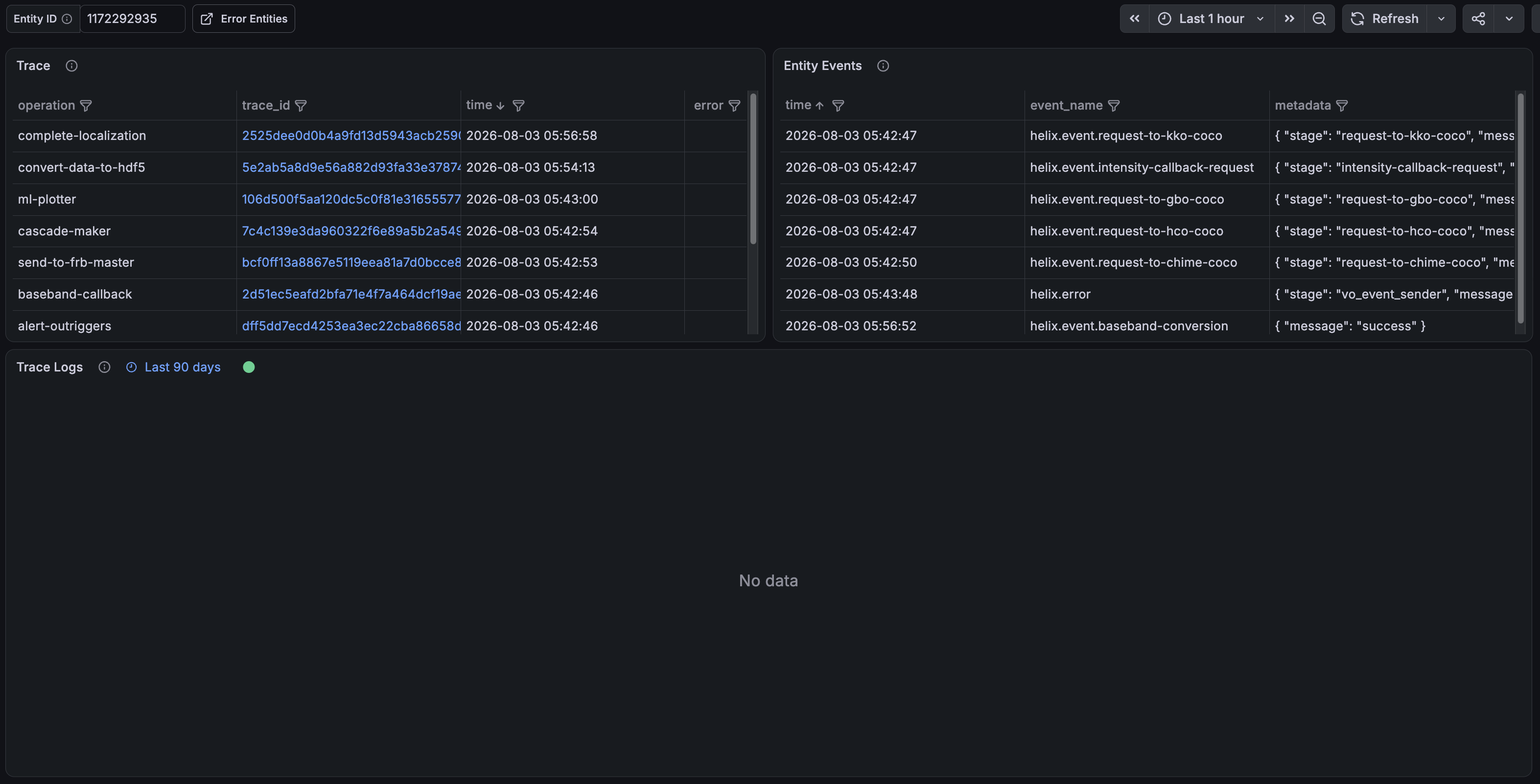
There, click on the traceID next to the operation name complete-localization. That will load in the logs:

and traces:

Note that the logs in Grafana Loki are only persistent for 14 days so don't be surprised if you don't see them for an older event.
Errors
The pipeline is fully integrated with HelixObs to send out traces and error notifications upon failure. THe messages are sent to # helixobs-notifications slack channel.
There you can click on the Inspect Entity link which will eventually lead you to the page for the specific event.